We've updated the Developer Portal to automatically guide developers to the relevant authentication inputs when an API request returns a 401 Unauthorized response. This allows developers to quickly correct missing or invalid credentials and retry the request without leaving the API console.
What Changed
Auto Authentication Focus on 401
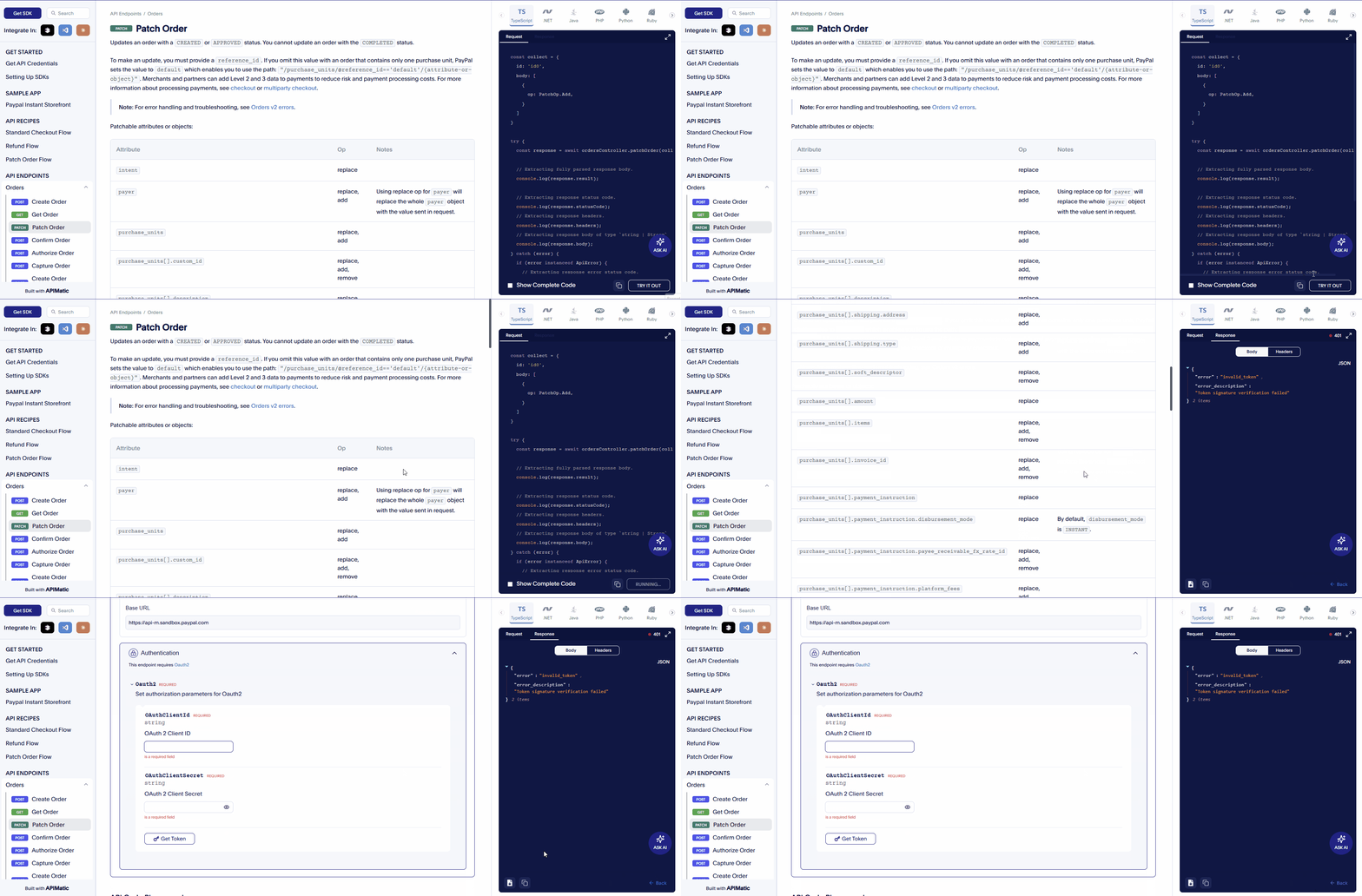
When a user clicks Send in the API console and the request returns a 401 (Unauthorized) response:
- The Authentication section automatically expands.
- The first authentication input field receives focus.
- Developers can immediately enter credentials without manually scrolling or locating the authentication settings.
This eliminates the need to manually scroll and open the auth section after a failed request.
Availability
Hosted Portals
This behavior is automatically applied the next time you publish your portal. No configuration is required.
Docs as Code Portals
This behavior is enabled by default. To disable it, add the following flag in your portal settings:
{
  focusAuthSectionOnUnauthorizedError: false;
}
For full configuration details, see the portal settings configuration reference.