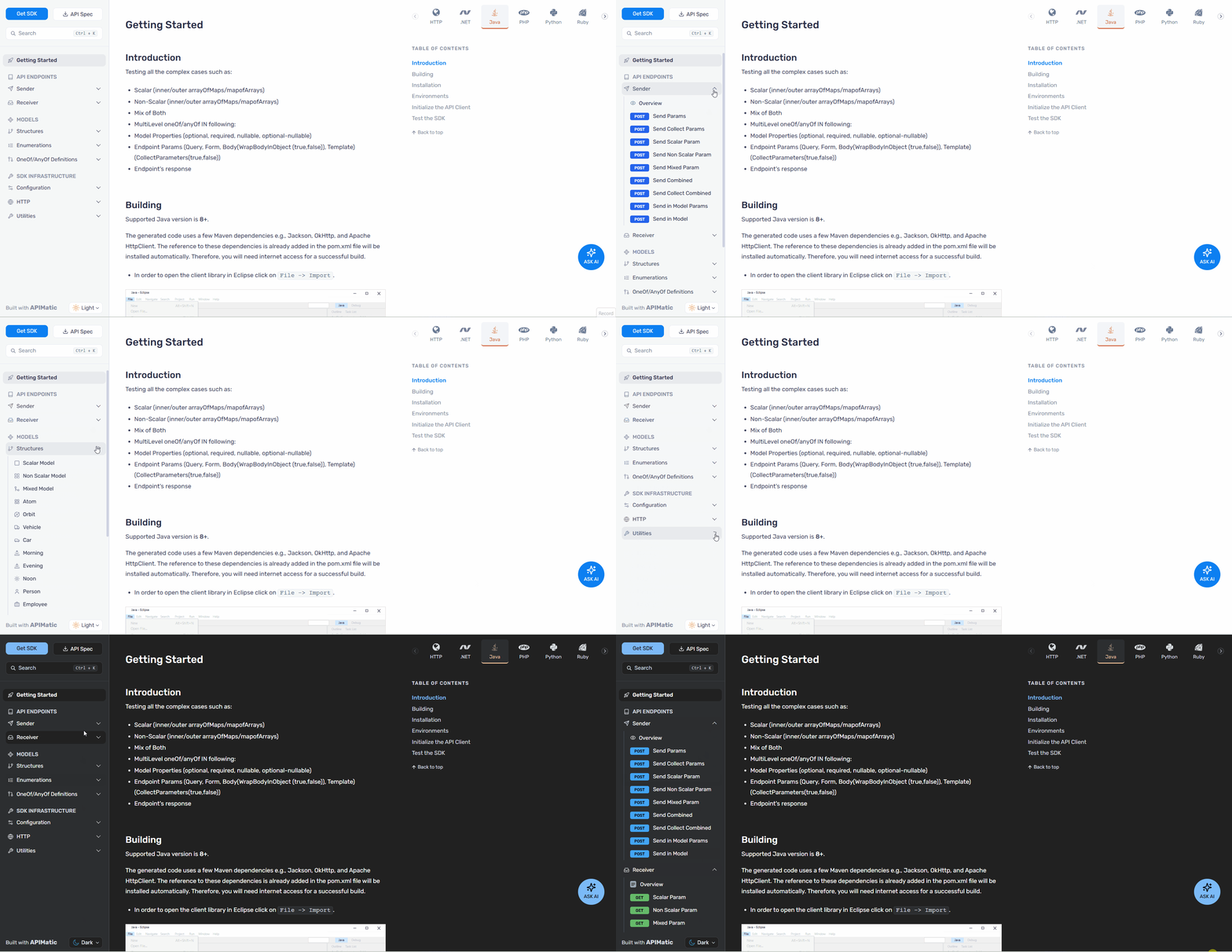
Sidebar navigation items in the Developer Portal now support icons, helping users scan and navigate documentation more quickly through clear visual cues.
What’s Changed?
You can now display icons alongside text labels in the sidebar navigation, making it easier for users to identify and access frequently used sections.
To add icons, update your toc.yml file as shown below:
- group: Getting Started
  icon: rocket
  items:
    - generate: How to Get Started
      icon: book-open
      from: getting-started
- generate: API Endpoints
  icon: code
  from: endpoints
This feature is only supported for portals generated via Docs as Code. Icons are supported at all levels.
For detailed instructions on configuring icons in the sidebar navigation using toc.yml, refer to the documentation here.
Supported Icon Library
Icons must be sourced from lucide-react (version v0.517.0 or any earlier compatible version). Other icon libraries are not supported.
Use the icon name exactly as listed on the lucide.dev icon library, for example rocket, code, settings, or folder-input.