Developers frequently switch between APIMatic documentation and external AI chat tools to understand APIs — a workflow that required manually copying page content and pasting it each time. This release eliminates that friction entirely.
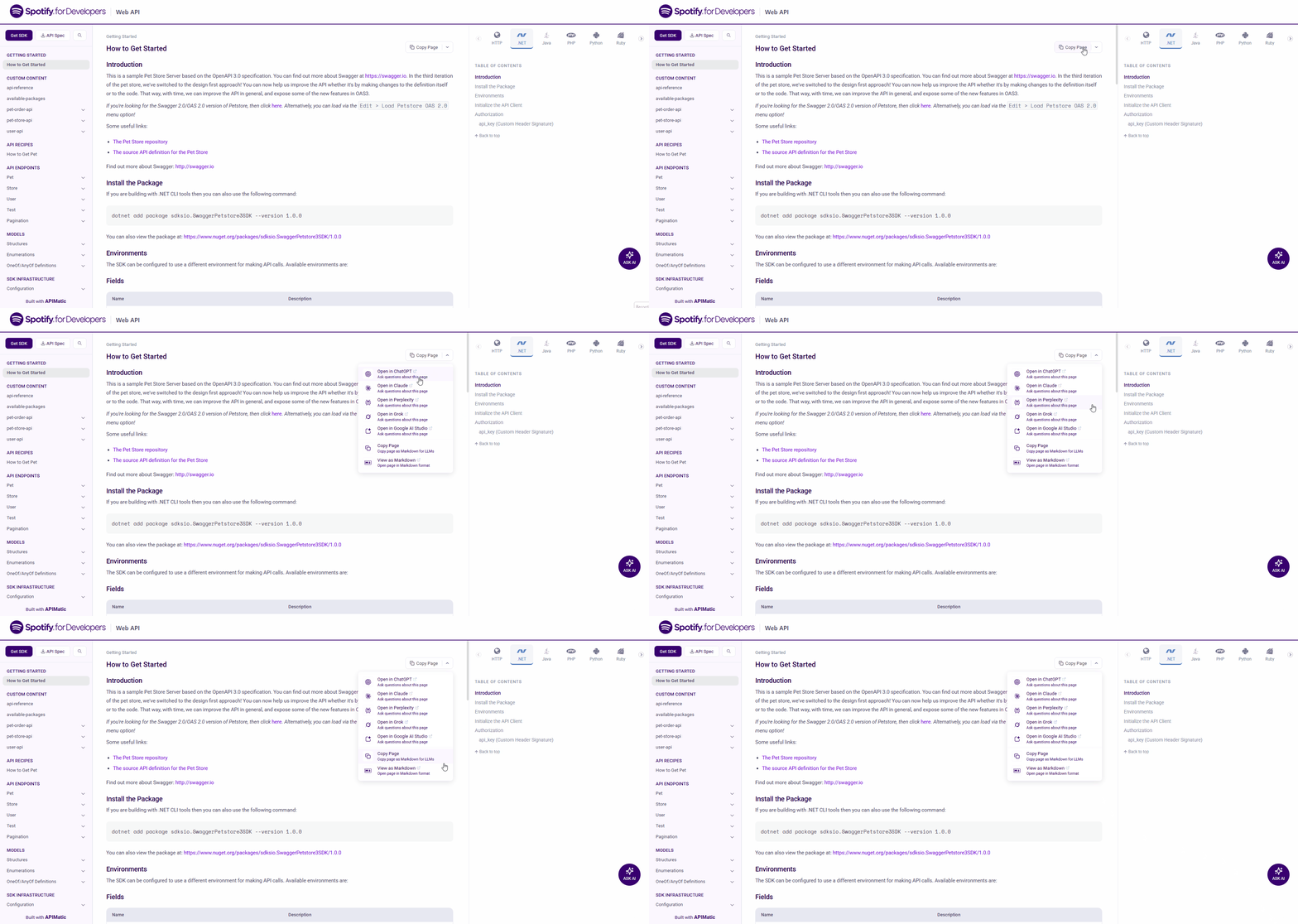
We've introduced the AI Assist Menu, a one-click dropdown available on every documentation page that sends the current page's content directly to your preferred AI tool as context.
What's Included
AI Chat Tool Integrations
The menu provides direct integrations with the following AI tools:
- Open in ChatGPT — Launches ChatGPT with the current page loaded as context, ready for questions.
- Open in Claude — Opens Claude with the current page pre-loaded for instant assistance.
- Open in Perplexity — Sends the page to Perplexity for AI-powered research and answers.
- Open in Grok — Opens Grok with the current page as context.
- Open in Google AI Studio — Launches Google AI Studio with the documentation page loaded.
Utility Options
- Copy Page — Copies the current page as Markdown, formatted for use in any LLM.
- View as Markdown — Opens the current page in raw Markdown format in the browser.
Configuration
The AI Assist Menu is enabled automatically the next time your portal is published — no explicit configuration is required to get started. To customize which tools appear or to disable the menu entirely, use the aiAssistMenu key under generatePortal.portalSettings in your portal configuration:
{
  "generatePortal": {
    "portalSettings": {
      "aiAssistMenu": {
        "enable": true,
        "tools": {
          "chatgpt": true,
          "claude": true,
          "perplexity": true,
          "grok": true,
          "googleAiStudio": true
        },
        "showCopyPage": true,
        "showViewAsMarkdown": true
      }
    }
  }
}
| Property | Type | Description |
|---|---|---|
enable | boolean | Enables or disables the AI Assist Menu. |
tools | object | Map of AI tools to booleans (true to show, false to hide). Supported keys: chatgpt, claude, perplexity, grok, googleAiStudio. See Validation Rules below for defaults. |
showCopyPage | boolean | Shows the Copy Page option in the menu. |
showViewAsMarkdown | boolean | Shows the View as Markdown option in the menu. |
Validation Rules
- Empty
aiAssistMenu— SettingaiAssistMenuto{}is shorthand for "use all defaults": every option, including every entry intools, is treated astrue. toolsbehavior — Each tool key is shown when set totrue, and hidden when set tofalse. Iftoolsis{}or omitted, every supported tool defaults totrueand is shown.
Availability
The AI Assist Menu is currently available only in portals generated via the Docs-as-Code workflow.
To disable the AI Assist Menu, add the following to your portal settings:
{
  "generatePortal": {
    "portalSettings": {
      "aiAssistMenu": {
        "enable": false
      }
    }
  }
}
For full configuration details, see the AI Assist Menu Documentation.