OpenAPI Linter Overview
Validate the OpenAPI definitions in your GitHub pull requests with the APIMatic OpenAPI Linter.
The APIMatic OpenAPI Linter is a GitHub App designed to help you maintain high-quality OpenAPI definitions that are optimized for code generation and API documentation. APIMatic has more than 1,300 built-in rules, and the app checks your OpenAPI 3.x definitions against the roughly 700 that apply to them, so they meet the standards necessary for generating clean, efficient code and API portals.
The app validates the OpenAPI definitions in your repository whenever you open a pull request (PR) or push new commits to it.
Key features
- 1,300+ Built-in Rules: Lints your OpenAPI definitions with the roughly 700 APIMatic rules that apply to OpenAPI 3.x, with a focus on quality code generation and API documentation.
- Continuous Integration: Validates the OpenAPI definitions that a pull request changes every time you open the pull request or push to it.
- GitHub Checks: Displays validation results directly in the PR, helping you identify issues before merging.
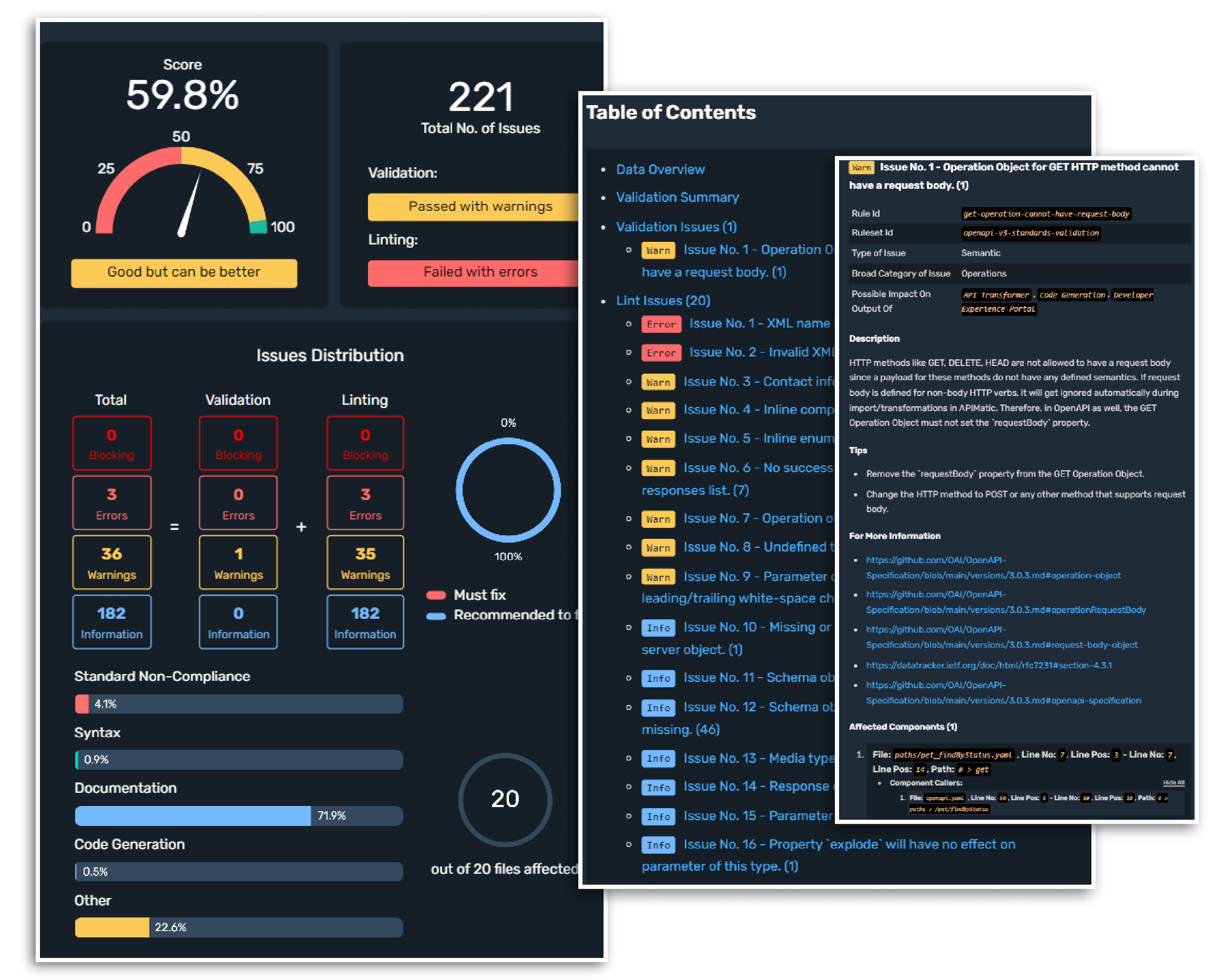
- Detailed Validation Reports: Generates detailed audit reports that can be shared and reviewed by your team.
- Multiple Definitions Support: Supports validating multiple OpenAPI definitions in the same repository.
- Customizable Configuration: Tailor the app to your needs, such as selecting specific definitions to validate or keeping validation errors from failing the GitHub check.
Exploring GitHub App's Components
Validation summary in PRs
-
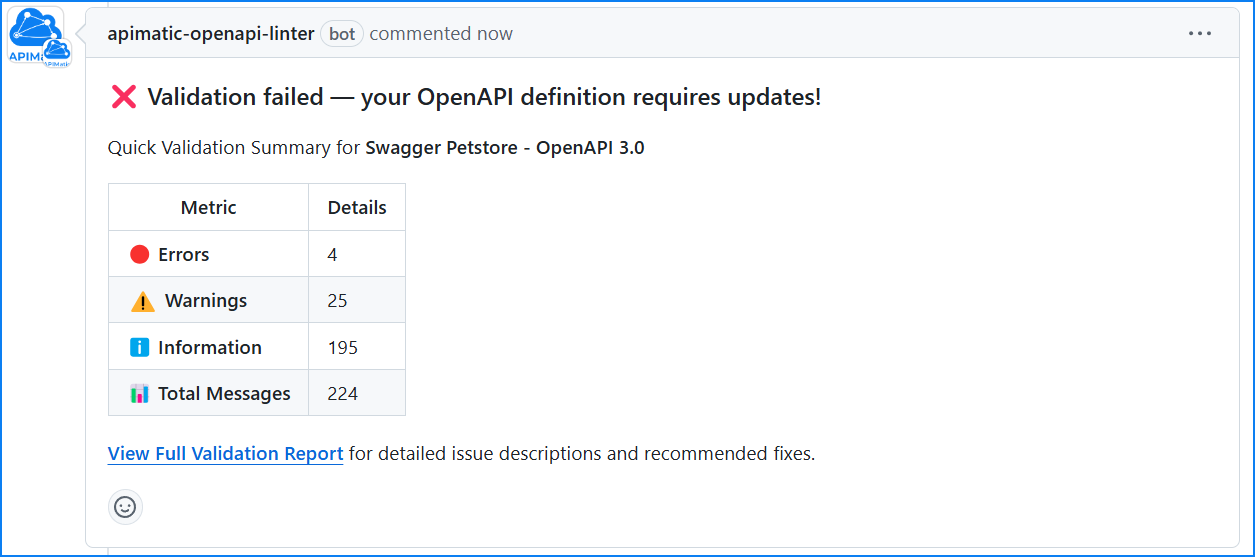
Single OpenAPI Definition: When a single OpenAPI definition is validated, the app adds a summary comment to the PR showing the validation results. When you push more commits, the app updates this comment instead of adding a new one.
-
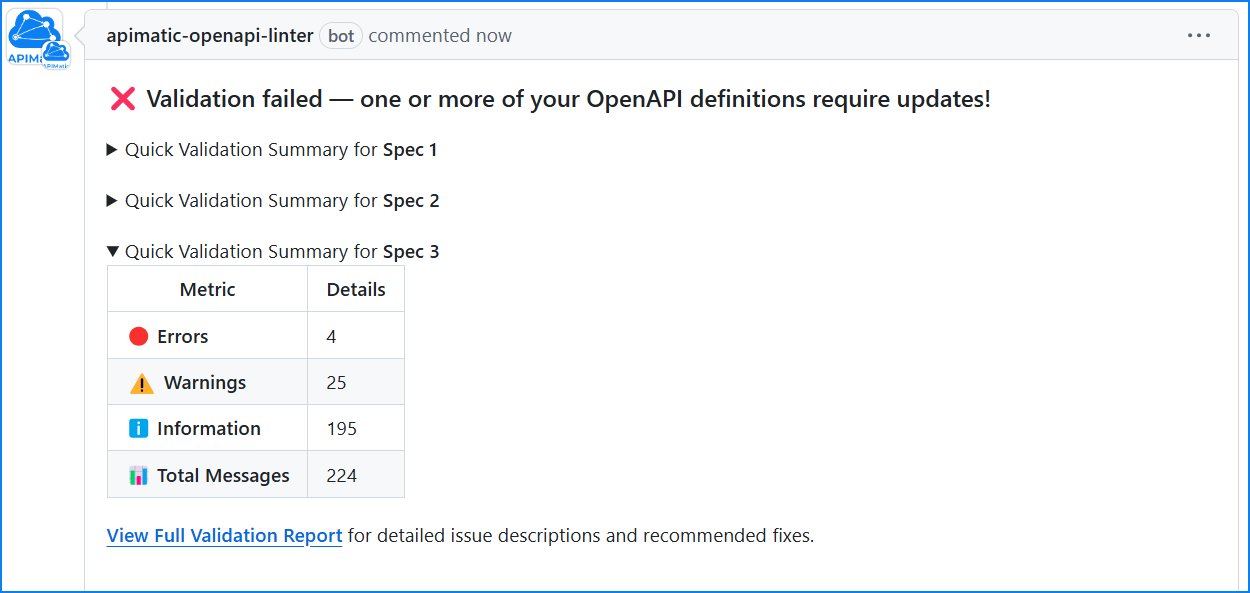
Multiple OpenAPI Definitions: If your PR modifies multiple OpenAPI definitions, each definition will have a separate validation result displayed in a collapsible format.
-
Detailed Audit Report: After each validation summary, the comment links to the full audit report. Select the link to view a detailed breakdown of the validation results, including specific rule violations and suggestions for fixing them.
Validation dashboard
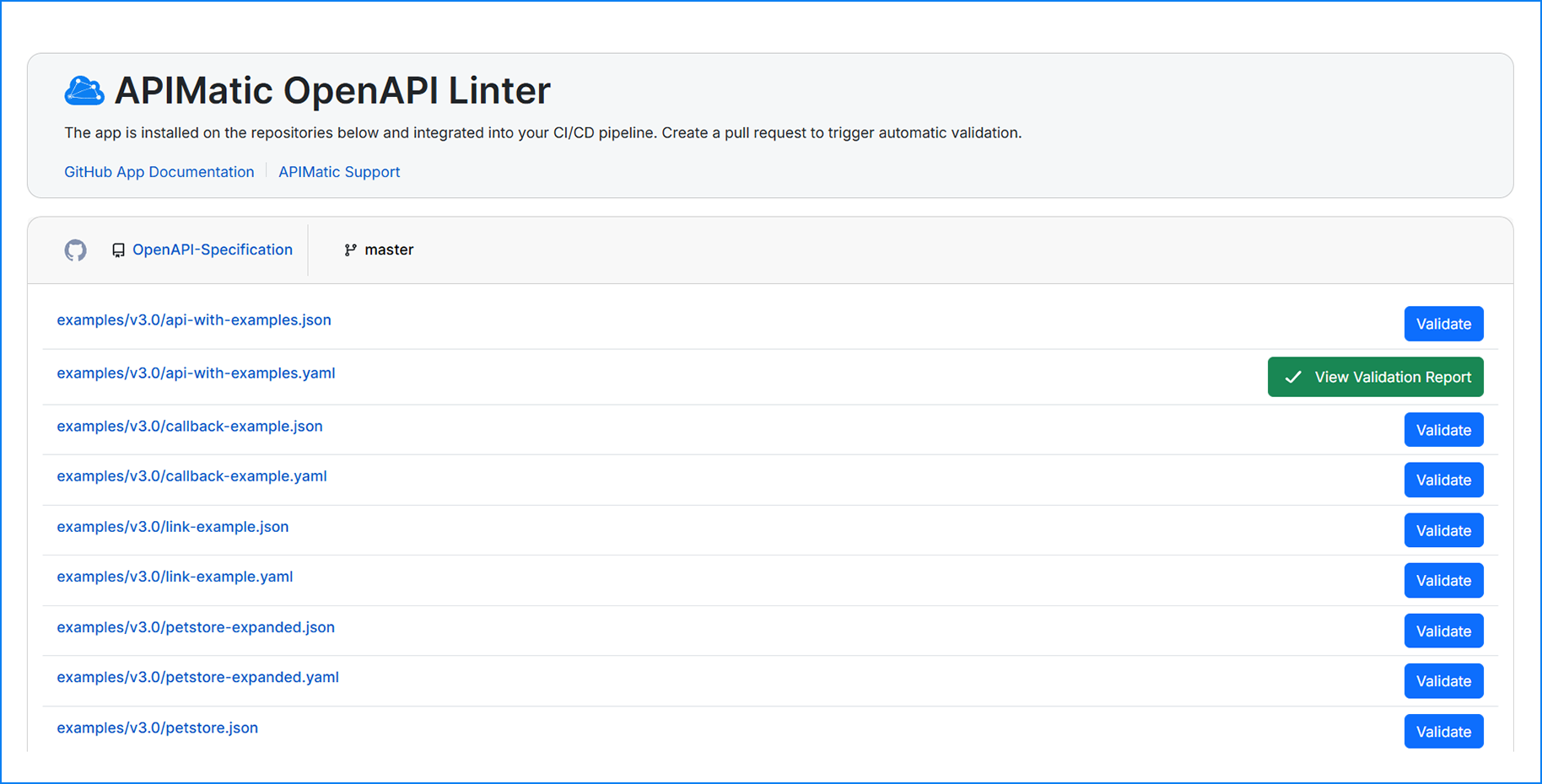
After you install and authorize the app, you're redirected to the dashboard. It lists every repository where the app is installed, along with the OpenAPI definitions that the app detects on each repository's default branch.
The dashboard also lets you validate any of these definitions and see the detailed validation report.
GitHub Checks Integration
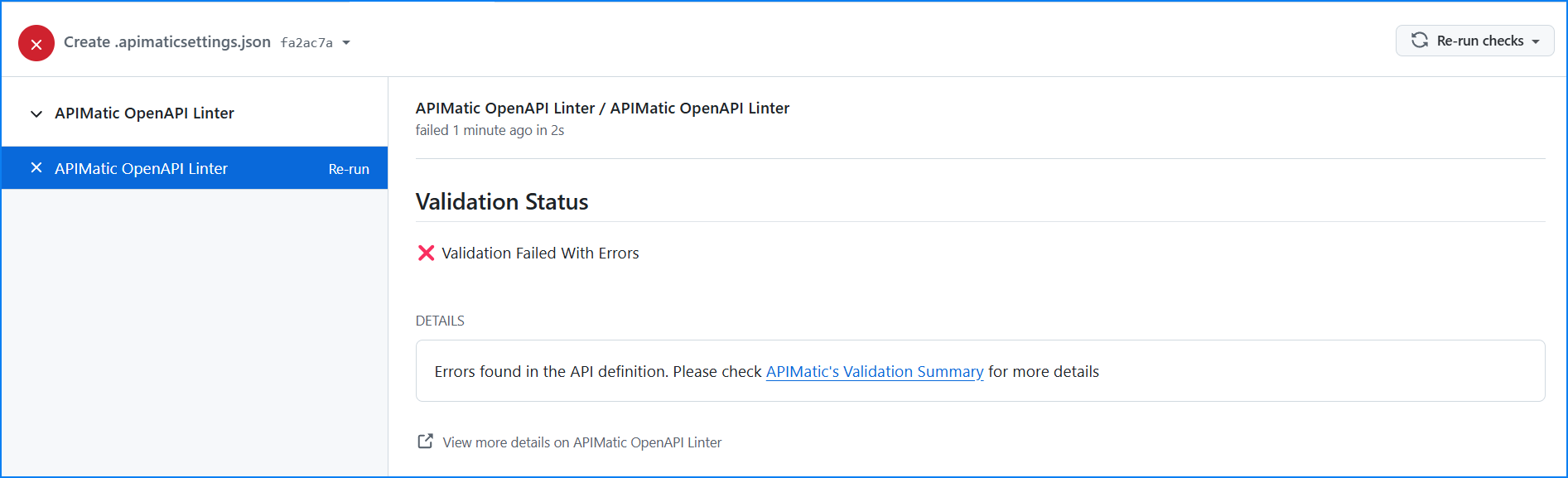
The app reports its result as a GitHub check named APIMatic OpenAPI Linter.
-
Successful Validation: If none of the validated definitions has errors, the check succeeds. Warnings and information messages don't fail the check.
-
Validation Errors: If any validated definition has errors, the check fails. If you set
IgnoreValidationErrorstotrue, the app marks the check as skipped instead. -
Invalid Configuration File: If
.apimaticsettings.jsonisn't valid JSON or a setting has the wrong type, the check fails. -
Unauthorized Installation: If the installation isn't authorized with your APIMatic account, the check is neutral.
-
No OpenAPI Definitions Updated: If the PR doesn't change any OpenAPI definition that the app validates, the check is neutral.
A missing .apimaticsettings.json file isn't an error. Without it, the app detects the OpenAPI definitions in your repository on its own.