Developers increasingly don't read API documentation page by page — they build with AI coding tools like Claude Code, Cursor, and VS Code. And these tools are only as good as the context they have. Without accurate, current knowledge of your API, they guess: invented endpoints, stale parameters, and integration code that takes hours to hand-fix.
We've brought your API into that workflow. Right from your developer portal, developers can now load your full API context — docs, SDKs, code samples, and setup instructions — into their AI coding environments in a single step, using Context Plugins.
Why It Matters
Connect once, and the tool stops guessing. It writes integration code against your real API surface from the first prompt — hallucinating less, needing less hand-fixing, and burning fewer tokens. For your team, that means developers reach a working integration faster, with less support load on you.
This is a shift in how your API gets adopted: the path from "found your docs" to "shipping with your API" now runs straight through the tools developers already build in.
What's Included
A New AI-Assisted Integration Experience on Getting Started
The Getting Started page now opens with two clearly labeled paths:
- AI-Assisted Integration (selected by default) — a guided, in-page flow that loads your API context into an AI coding tool.
- Manual Integration — the existing, authored Getting Started content, for developers who prefer to wire things up themselves.
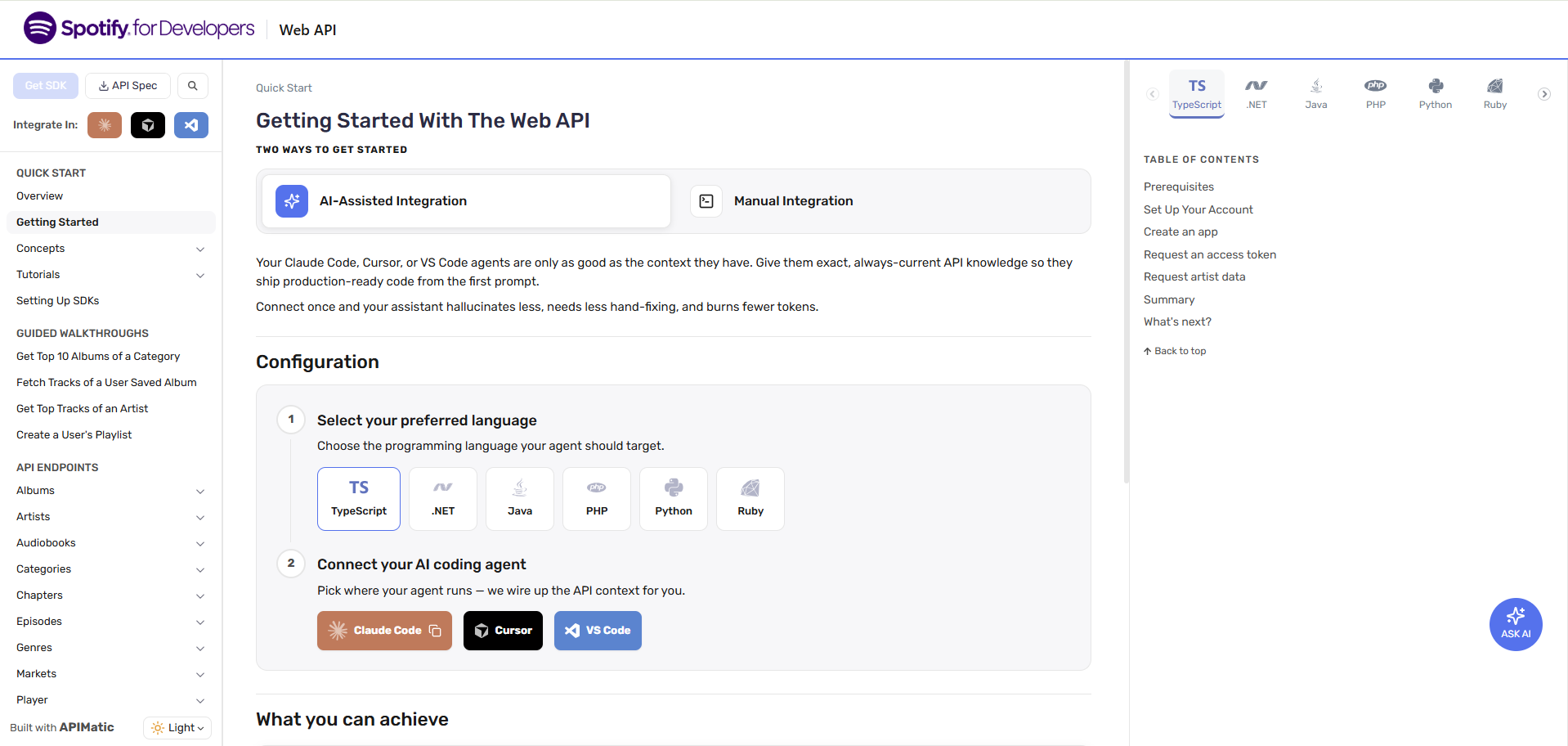
Works With the Tools Developers Already Use
From the AI-Assisted Integration path, developers pick an SDK language and connect their tool of choice:
- Claude Code
- Cursor
- VS Code
No additional portal configuration is required beyond enabling AI-assisted integration for your SDK languages.
Where This Is Headed
This is the first step toward onboarding built natively for AI. We're working to make the AI-Assisted Integration path richer and more customizable — starter prompts tuned to your API, use-case-driven flows, and guidance an AI tool can follow end to end — so that "integrate this API" becomes a single, well-grounded prompt.