The Developer Portal's toc.yml now supports a custom slug option, giving you full control over the URL paths generated for your documentation pages.
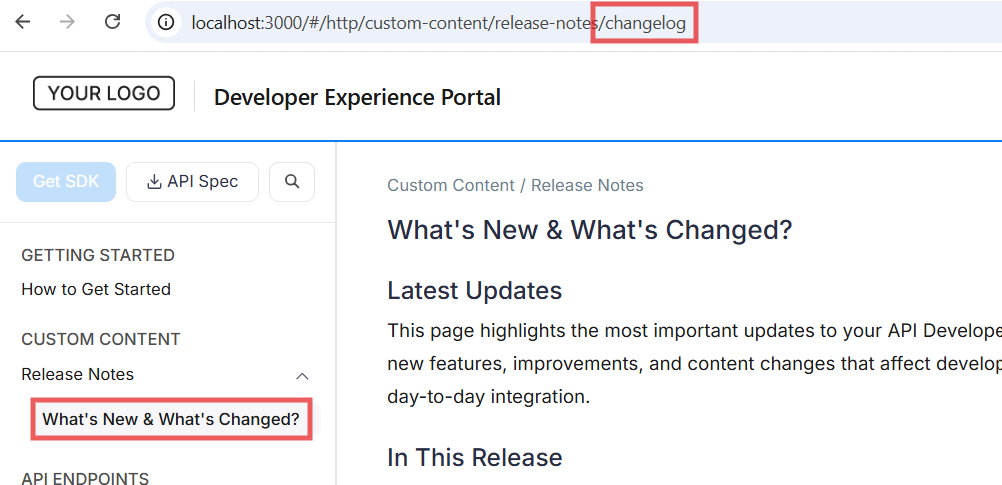
What's Changed?
You can now define a custom slug for any item in your toc.yml. When a slug is provided, it's used as the URL path segment instead of the one derived from the sidebar navigation items. This is particularly useful when the item's text contains special characters that would produce undesirable URL segments.
To add custom slugs, update your toc.yml file as shown below:
toc:
  - group: Custom Content
    items:
      - group: Release Notes
        items:
          - page: What's New & What's Changed?
            slug: changelog
            file: release-notes/changelog.md
In the example above, the page titled What's New & What's Changed? will be accessible using the slug changelog in the URL, instead of a segment derived from the title.
This feature is only supported for portals generated via Docs as Code. Slugs are optional and can be added to any item in toc.yml (groups, pages, and generated items).
For detailed instructions on configuring custom slugs in toc.yml, refer to the documentation here.