
Portal Generation Overview
Turn your API definition and Markdown guides into an APIMatic developer portal with the APIMatic CLI.
A good developer experience starts with a well-built API documentation portal. APIMatic generates one from your API definition: a complete API reference, a live playground, SDKs, and your own guides, in one site that you build and preview with the APIMatic CLI.
What your portal includes
- Live API code playground. Every endpoint documented and callable from the browser, with code samples and live responses.
- Code samples. Ready-to-run samples for every endpoint in cURL and each SDK language.
- SDKs. Downloadable SDKs in C#, Python, and TypeScript.
- Custom documentation. Getting started guides, tutorials, and any other pages you write in Markdown, with images and videos.
- Branding. Logo, favicon, colors, and light or dark mode, set in
apimatic.json. - AI features.
llms.txtandllms-full.txt, a Markdown version of every page, page actions that open any page in ChatGPT, Claude, Cursor, or Scira AI, and an install page for your APIMatic Context Plugin. See AI Capabilities.
Live API code playground
The live API code playground shows developers how to call each endpoint of your API, with live input validation. Every endpoint page in the API Reference tab has auto-generated usage examples, code samples, and the API response body and headers.
Parameters
When an endpoint has parameters, the playground shows a field for each one, including fields for complex types such as objects and arrays. Fields are prefilled with the examples in your API definition; where there's no example, they're filled with sample values.
Developers can enter any values and select Send to see the response. Each value is also validated against the format your API definition sets for that parameter, so mistakes show up before the request is sent.
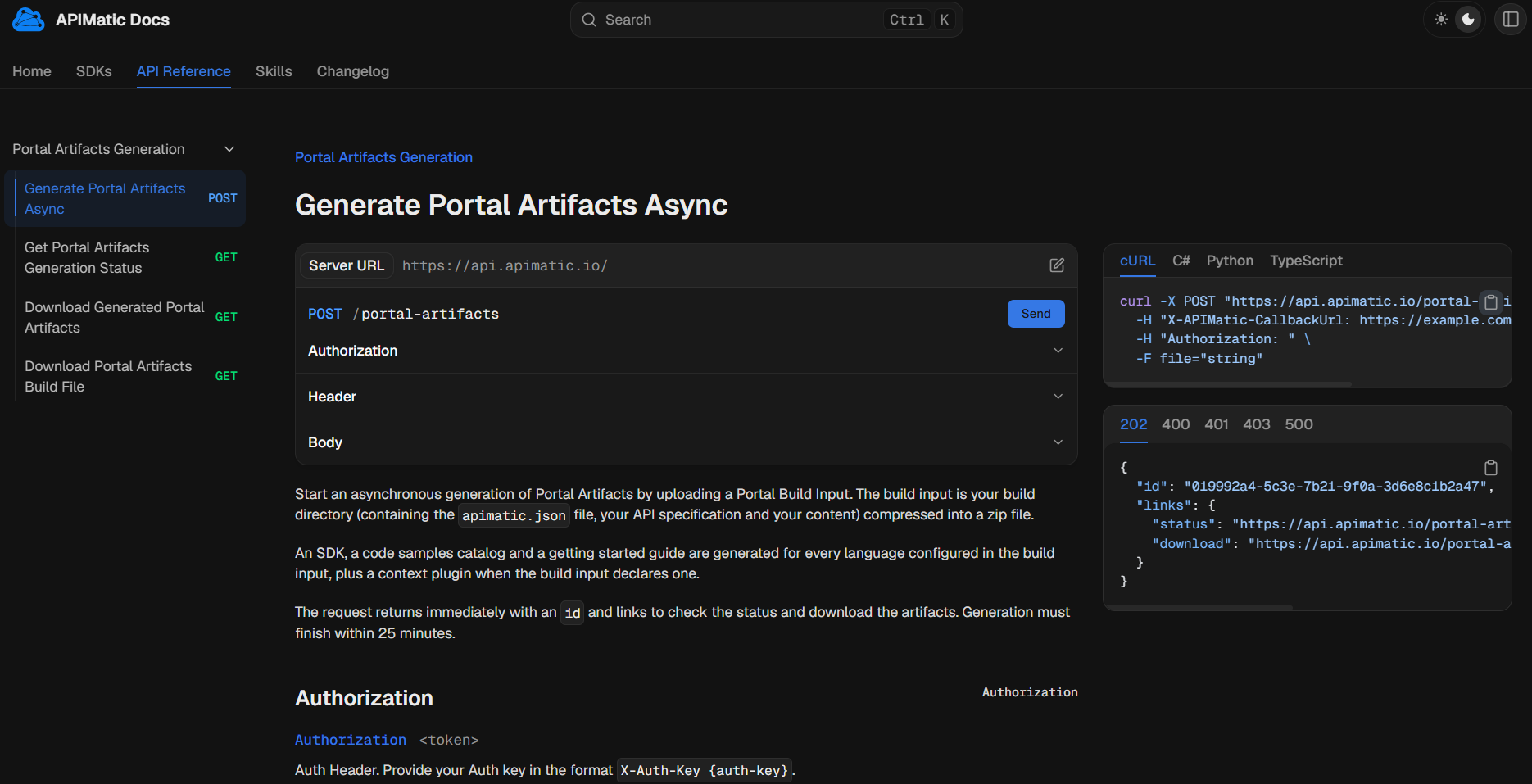
- OAuth 2.0 sign-in. When your API uses OAuth 2.0 sign-in, the playground returns to one page after sign-in:
/oauth/callbackunder your portal's address. Register that address as a redirect URI with your OAuth provider, for examplehttps://docs.example.com/oauth/callback.
The tab is the built-in apimatic:api entry in the root nav.json. See built-in tabs to move it or take it out of the tab bar.
Code samples
Every endpoint page has ready-to-run code samples for that call: cURL, plus one per SDK language in languages. Samples for each language are generated with its SDK, so they use the SDK's own client and methods.
- Developers switch languages with the tabs above the sample; the tabs follow the order of
languages. - Each sample has a copy button.
The samples are rebuilt whenever you generate the portal, so they stay in step with your API definition and SDKs.
SDKs
The SDKs tab lists an APIMatic SDK for each language in languages: C#, Python, or TypeScript. Each SDK has:
- A card on the SDKs page with a Download SDK button and an Overview link.
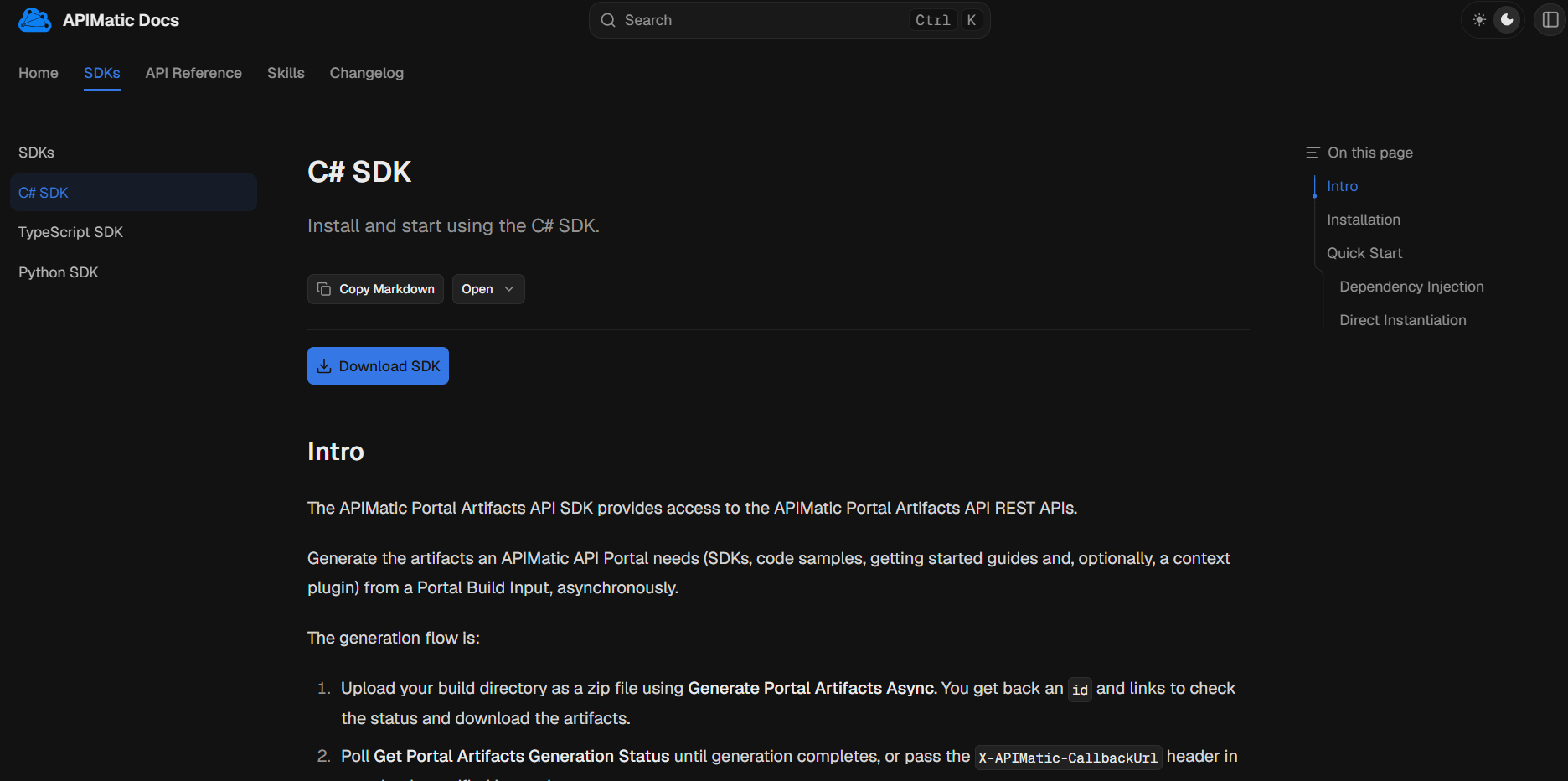
- Its own page with a getting started guide: how to install the SDK and make a first call.
- Code samples in that language on every API reference page.
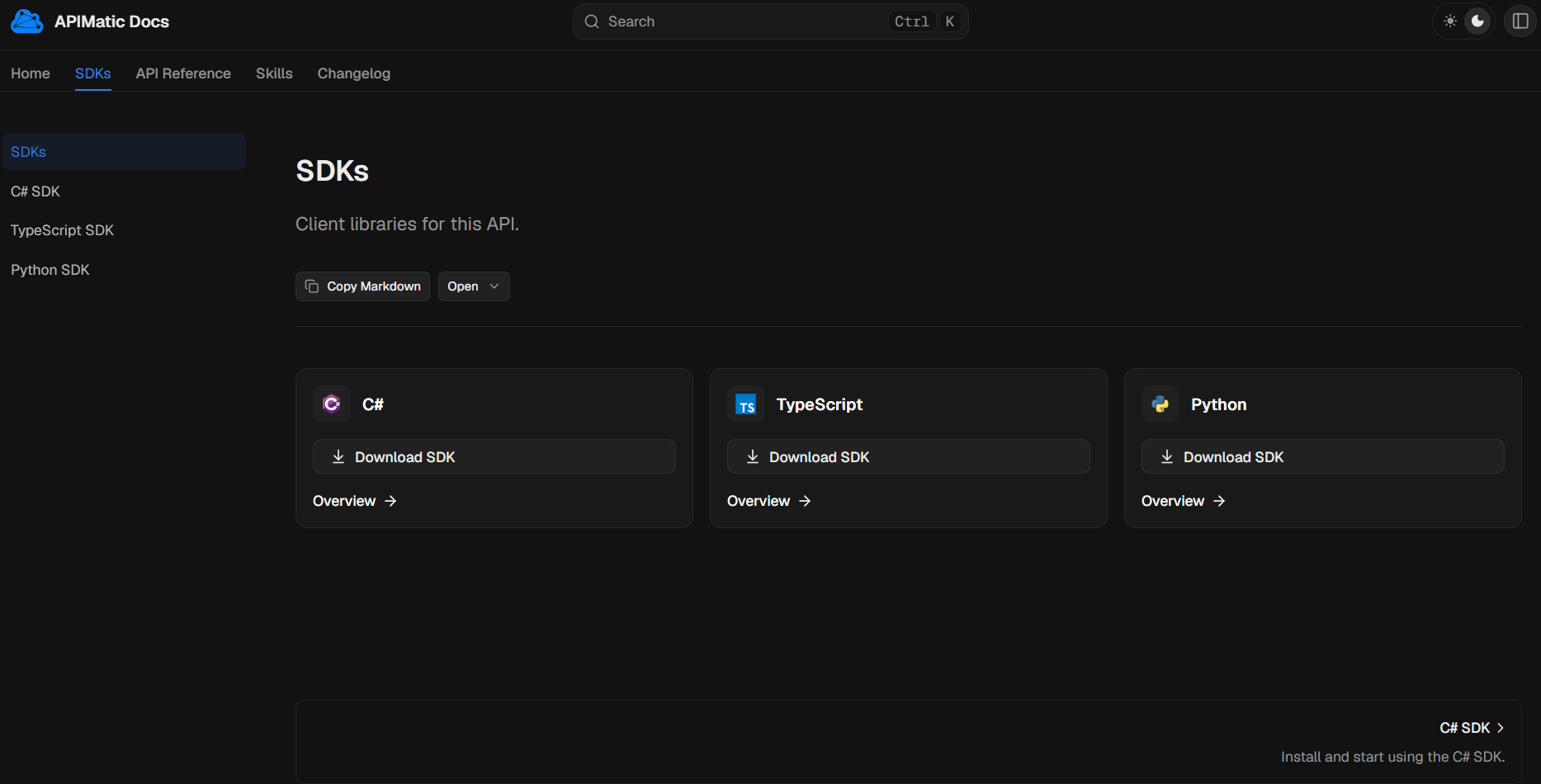
Selecting Overview on a card, or the SDK's name in the sidebar, opens that SDK's own page: a Download SDK button and a getting started guide with installation steps and a quick start.
When you publish an SDK, apimatic sdk publish records the release in apimatic.json, and the SDK card then also shows the install command, the package, and the repository. The order of the languages in languages is the order of the cards and of the code sample tabs.
Custom documentation
Your own pages go in content/ as Markdown (.mdx) files: getting started guides, tutorials, authentication walkthroughs, or anything else your developers need.
- Write standard Markdown, with tables, images, and syntax-highlighted code blocks.
- Use the
<Callout>component for notes and warnings, and<Cards>for grids of links. - Put images and other files in
static/and link to them from your pages. - Set the order of pages in the sidebar, and which folders become tabs, with
nav.json.
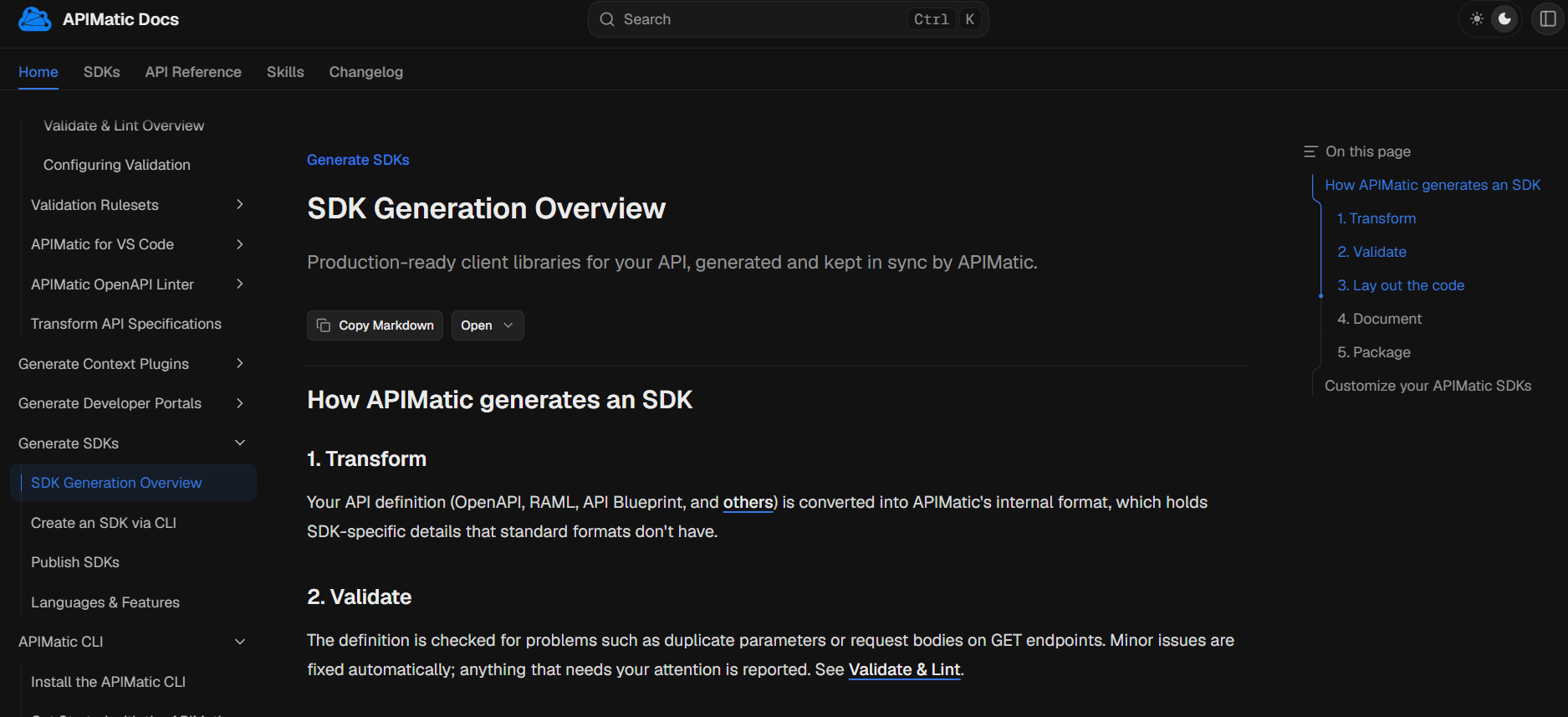
Developers can search the portal from the search box in the header.
Branding
Make the portal look like your product with portal.brand in apimatic.json:
| Setting | What it changes |
|---|---|
logo | The logo in the header. Use one image for both color modes, or one for each. |
favicon | The browser tab icon. Defaults to the light logo. |
colors.primary | The primary brand color, for both modes or one for each. |
colorMode | Whether the portal offers light mode, dark mode, or both. Forcing one mode hides the theme switch. |
Add links to your website, status page, or support site to the header with portal.navigation.links.
Set up the project
An APIMatic portal is built from a src directory:
src/
  apimatic.json   # portal, plugin, and SDK language settings
  content/        # your pages
    nav.json      # sidebar order
    index.mdx
  spec/           # your API definition
static/ # images and other files your pages usespec/holds your API definition, such as an OpenAPI file. The API reference, playground, and SDKs are generated from it. See Transform Formats for the formats APIMatic accepts, and Validate & Lint to check it first.content/holds your guides as.mdxfiles. Each folder has anav.jsonthat sets the order of its pages in the sidebar.apimatic.jsonconfigures the portal's name, address, branding, header links, and AI features. See the apimatic.json reference for every setting.static/holds images such as your logo, referenced fromapimatic.jsonasstatic/...paths.
The fastest way to get a working src directory is apimatic quickstart. It imports your API definition, asks for your SDK languages, and scaffolds the project. See the Quickstart.
Preview locally
Build the portal and serve it with hot reload, so changes to your pages show up as you save them:
apimatic portal serve --openFor every flag, see portal serve in the CLI Reference.
Generate the portal
When you're ready to publish, generate the static portal:
apimatic portal generateFor every flag, see portal generate in the CLI Reference.
The output is a static site you can host anywhere. See Host Your Portal.