
Build an API Workspace
Check that your API definition is ready for APIMatic SDKs, portals, and transformation with the build step in APIMatic for VS Code.
If you are looking to generate APIMatic SDKs or developer portals, or transform your API definition's format to another specification format, you need to ensure that your API definition is valid for and compatible with APIMatic. This is ensured through a "Build" step that essentially converts the API definition into an intermediate format supported by APIMatic and runs additional checks on it. If the build is successful, you can proceed to generating SDKs or portals or transforming as required. If not, you will need to take some extra steps in your API definition to ensure they are ready for APIMatic. By default, the build also enforces checks that matter for code generation, such as naming conventions.
Prerequisites
In order to build your API workspace in the VS Code extension, it is required that your workspace has passed through the validation layer and that did not result in any validation errors (blocking or otherwise). If it did, you may see an error like below:
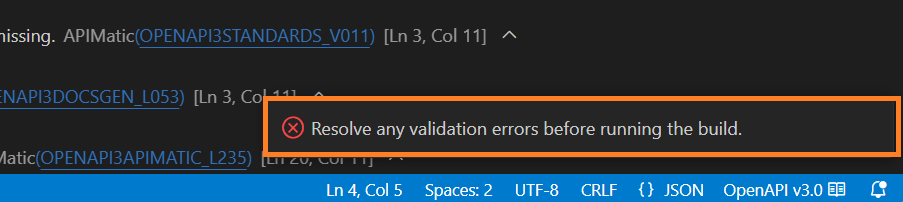
Note, that validation warnings or any linting errors are allowed and will not prevent the build from proceeding.
Build the API workspace
To build your API workspace, you need to select the tools (🛠️) icon from the left side of the status bar:

The build process will start in the background after verifying that the validation process has occurred and did not result in any blocking errors. While the build is running, you should see a Building... message in the status bar:

Depending on whether the build passes or not, you will see a Build Passed or a Build Failed message in the status bar:

The validation views will be populated with additional messages from the build process with codes beginning with APIMATIC. If the build fails, the messages will include errors as well.
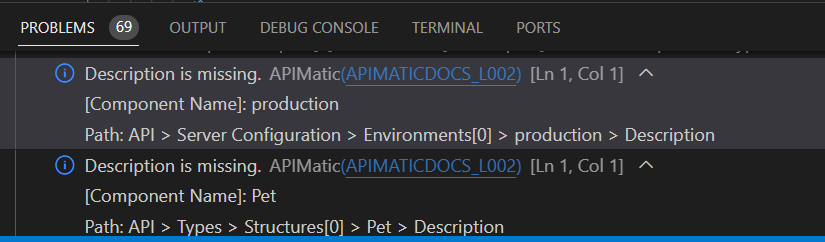
You will need to re-trigger the build process each time the validation information changes for the API workspace.