A new boolean property disableTryItOut has been introduced at the environment level within the Server Configuration, allowing API providers to disable the interactive Try It Out functionality on the API portal for specific environments.
Details
If you want to prevent interactive testing on specific environments, such as production or internal staging, you can selectively disable Try It Out on a per-environment basis while keeping it available for other environments like sandbox or testing.
By default, Try It Out is enabled for all environments.
- Before
- After
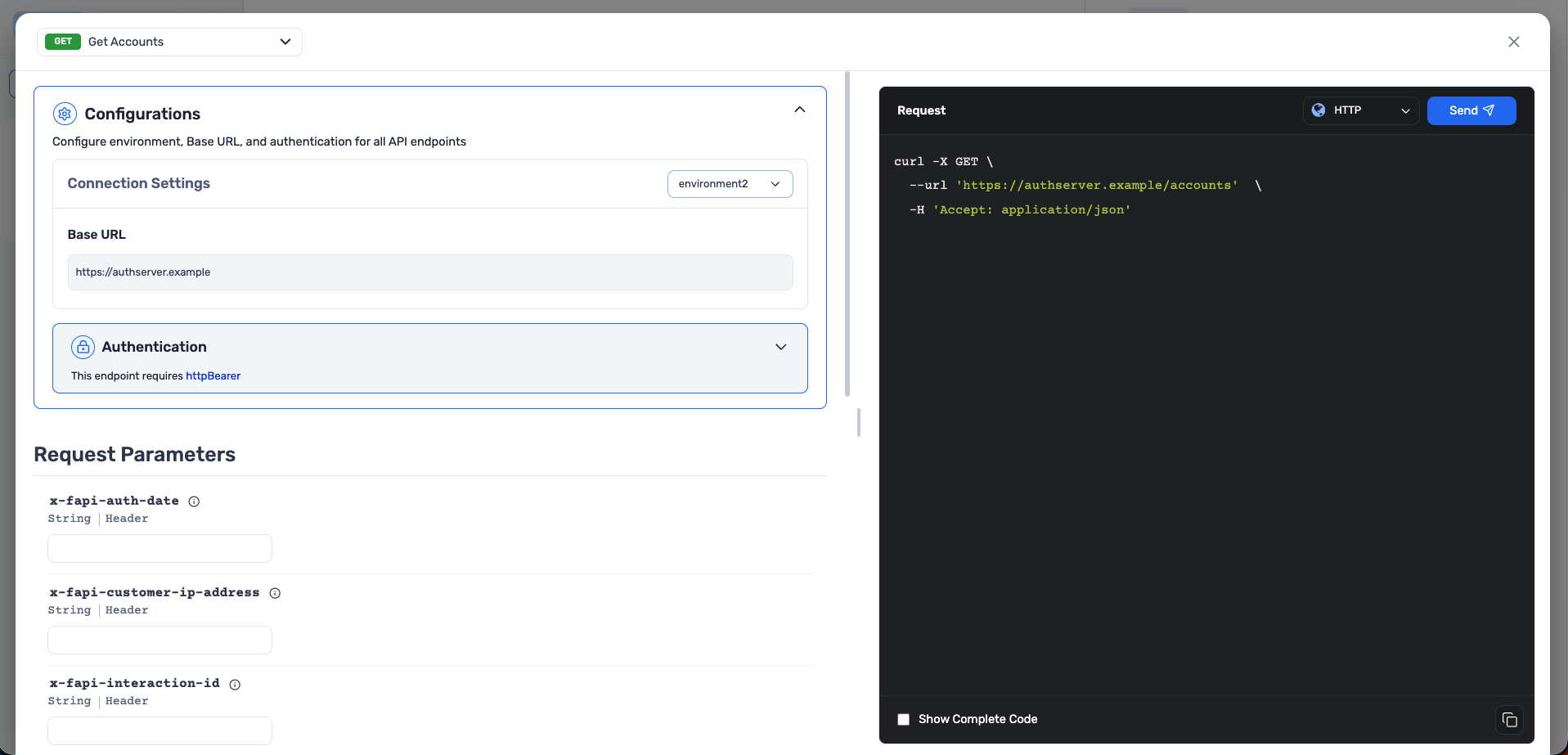
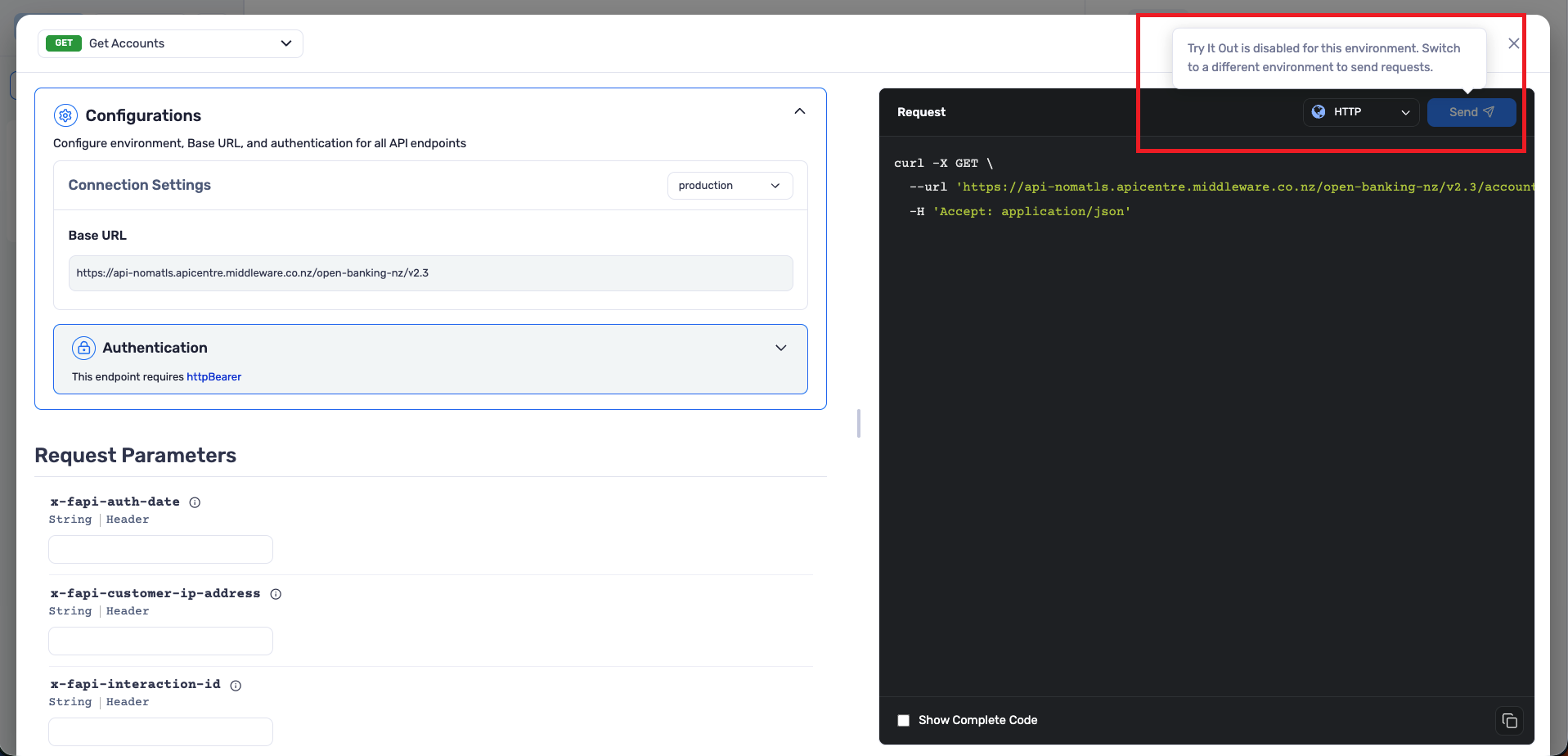
| Environment | disableTryItOut | Portal Behavior |
|---|---|---|
| sandbox | false (default) | Try It Out button is enabled |
| production | true | Try It Out button is disabled |
Supported Formats
This property is supported in OpenAPI 3.0, OpenAPI 3.1, and Swagger 2.0 via the x-server-configuration vendor extension, as well as in the APIMATIC-META.json file.
Using the x-server-configuration Vendor Extension (OpenAPI / Swagger)
Define disableTryItOut inside each environment object under the x-server-configuration extension at the info object level.
- OpenAPI 3.0
- OpenAPI 3.1
- Swagger 2.0
openapi: "3.0.0"
info:
  title: Sample API
  version: "1.0.0"
  x-server-configuration:
    environments:
      - name: production
        disableTryItOut: true
        servers:
          - name: default
            url: https://api.example.com
openapi: "3.1.0"
info:
  title: Sample API
  version: "1.0.0"
  x-server-configuration:
    environments:
      - name: production
        disableTryItOut: true
        servers:
          - name: default
            url: https://api.example.com
swagger: "2.0"
info:
  title: Sample API
  version: "1.0.0"
  x-server-configuration:
    environments:
      - name: production
        disableTryItOut: true
        servers:
          - name: default
            url: https://api.example.com
Using the APIMATIC-META.json File
When importing your API specification as a ZIP archive with an APIMATIC-META.json file, define DisableTryItOut on the environment object within the ServerConfiguration.
{
  "ServerConfiguration": {
    "Environments": [
      {
        "Name": "production",
        "DisableTryItOut": true,
        "Servers": [
          {
            "Name": "default",
            "Url": "https://api.example.com"
          }
        ]
      }
    ]
  }
}