Reference Content in DX Portal
New projects use the CLI flow. These pages stay available while you migrate. See how to move and the full list of Web Dashboard docs.
You can use Markdown links to link to auto-generated and user-written, custom content in the portal. To maintain portability of links across SDK documentations, we have built our own linking solution.
Shortcut: Getting Links From DX Portal
There's a shortcut to getting the link of a heading from the portal: if you double click on a heading, the portal will log the link to the heading on the browser's developer console (usually accessed by pressing F-12 key).
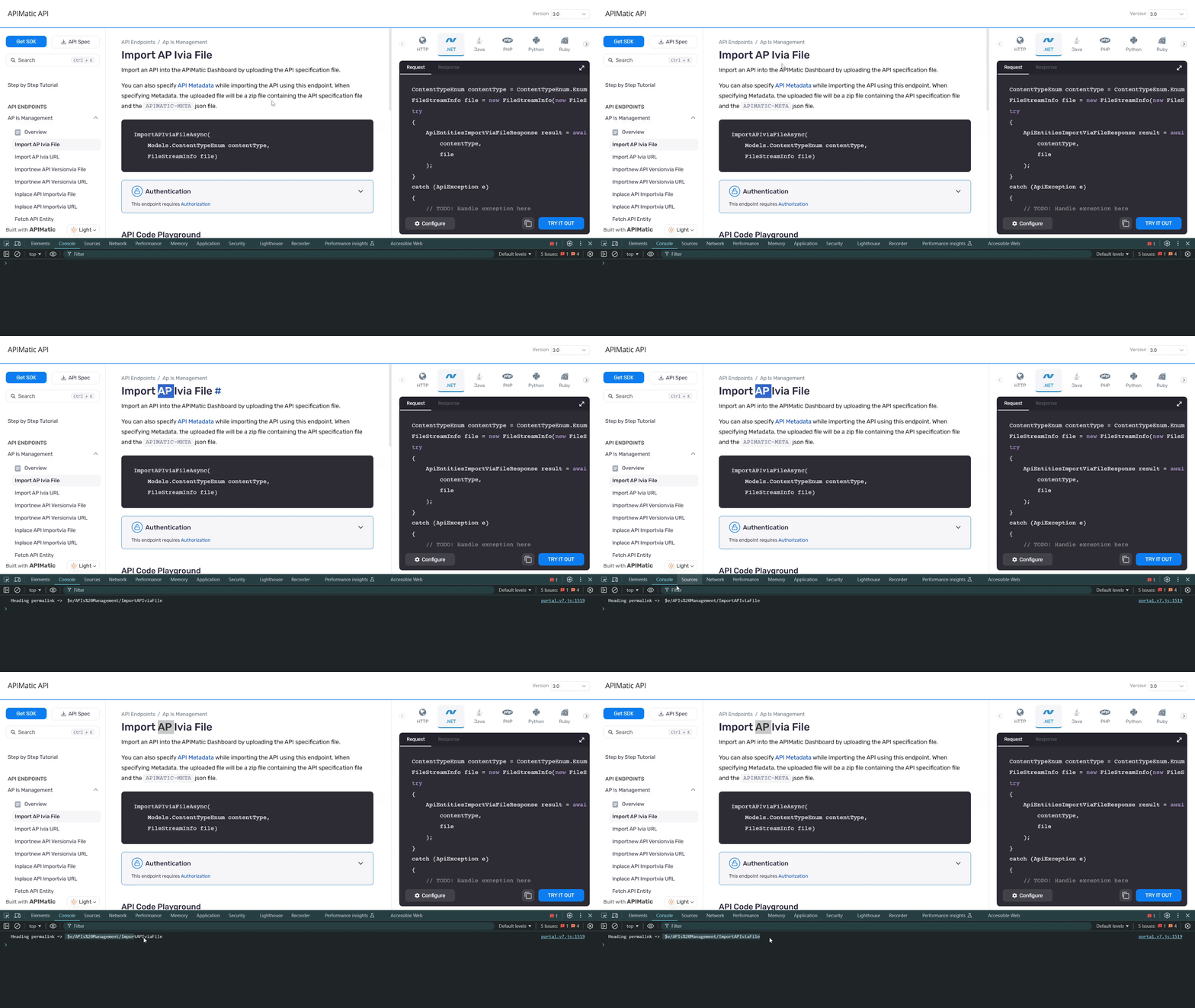
If a link for the heading is not logged to the developer console, linking to it is not supported.
Linking to Custom Guides
You must link to your Markdown pages using a page: link. Page links contain the page slug, i.e., a unique ID that can be used to refer to the page or section while linking in a Markdown page. While APIMatic Portal Editor derives the slug from your custom section/page name, you can provide a custom slug for your section or page as well while adding a custom guide or a custom page.
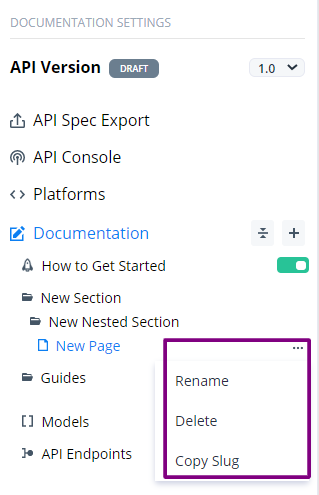
- Click on ... next to the custom page you want to link and select Copy Slug.
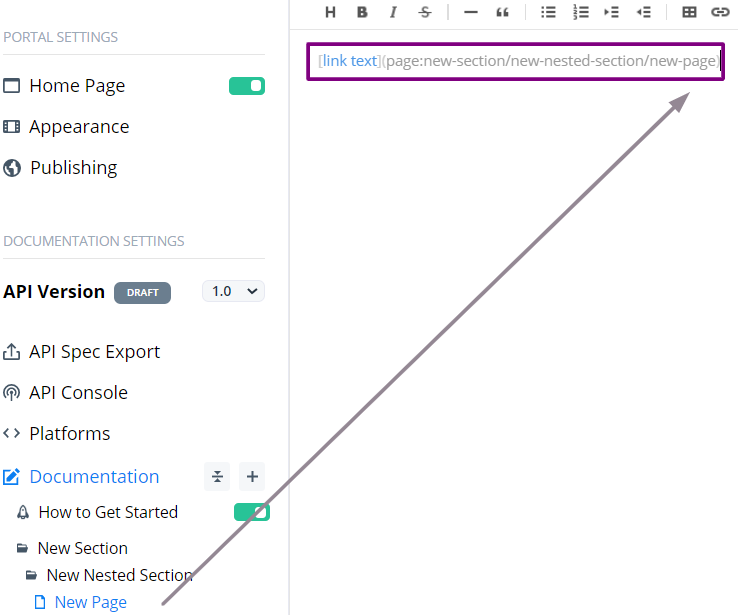
- Paste it to your Markdown file, you will find that it contains the
page:link.
Link Syntax
[link text](page:section/sub-section/markdown-page-name)
You can also link to a heading inside a Markdown page like this using a GitHub-style heading ID:
[link text](page:section/sub-section/markdown-page-name#heading-in-markdown-page)
Linking to Auto-Generated Content
Auto-generated content in the portal refers to all pages generated by APIMatic and are placed under Introduction, Endpoints, and Models. The table below describes how links to various auto-generated content are built:
| Reference Type | Format |
|---|---|
| Introduction | $h/__intro |
| How to install | $h/__how_to_install |
| How to build | $h/__how_to_build |
| How to use | $h/__how_to_use |
| How to test | $h/__how_to_test |
| Initializing | $h/__initializing |
| Environments | $h/__environments |
| Authorize | $h/__authorize |
| API errors | $h/__api_errors |
| Endpoint Group | $e/{Endpoint Group Name} |
| Endpoint | $e/{Endpoint Group Name}/{Endpoint Name} |
| Custom-type | $m/{Model Name} |
So, to reference an endpoint named Get users in a group called User, the link in markdown syntax would be:
[put your link text here]($e/User/Get%20users)
Please note that
- The snippet
{ ... }indicates that you must write the URL-encoded form of the title or the name you are referring to, without the curly brackets. To be specific, we're usingSystem.Net.WebUtility.UrlEncode()method from .NET framework for URL-encoding. If you find it difficult to write this link, checkout the shortcut to getting links from the API Portal. - The links are case-sensitive.